The essentials, out of the way.
A quick glance at frame rate and system health. Keep your attention on the game.
 Redline 0.2.0 · PUBLIC BETA
FPS, temperatures and memory, right where you’re playing. A small performance overlay for Apple Silicon Macs.
Keep an eye on the essentials
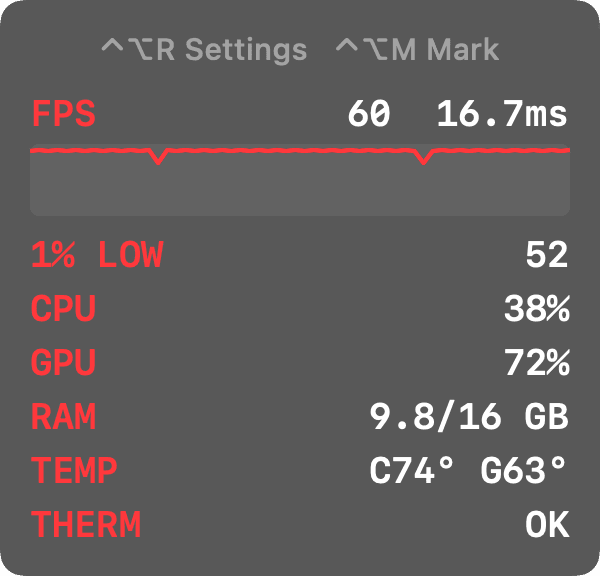
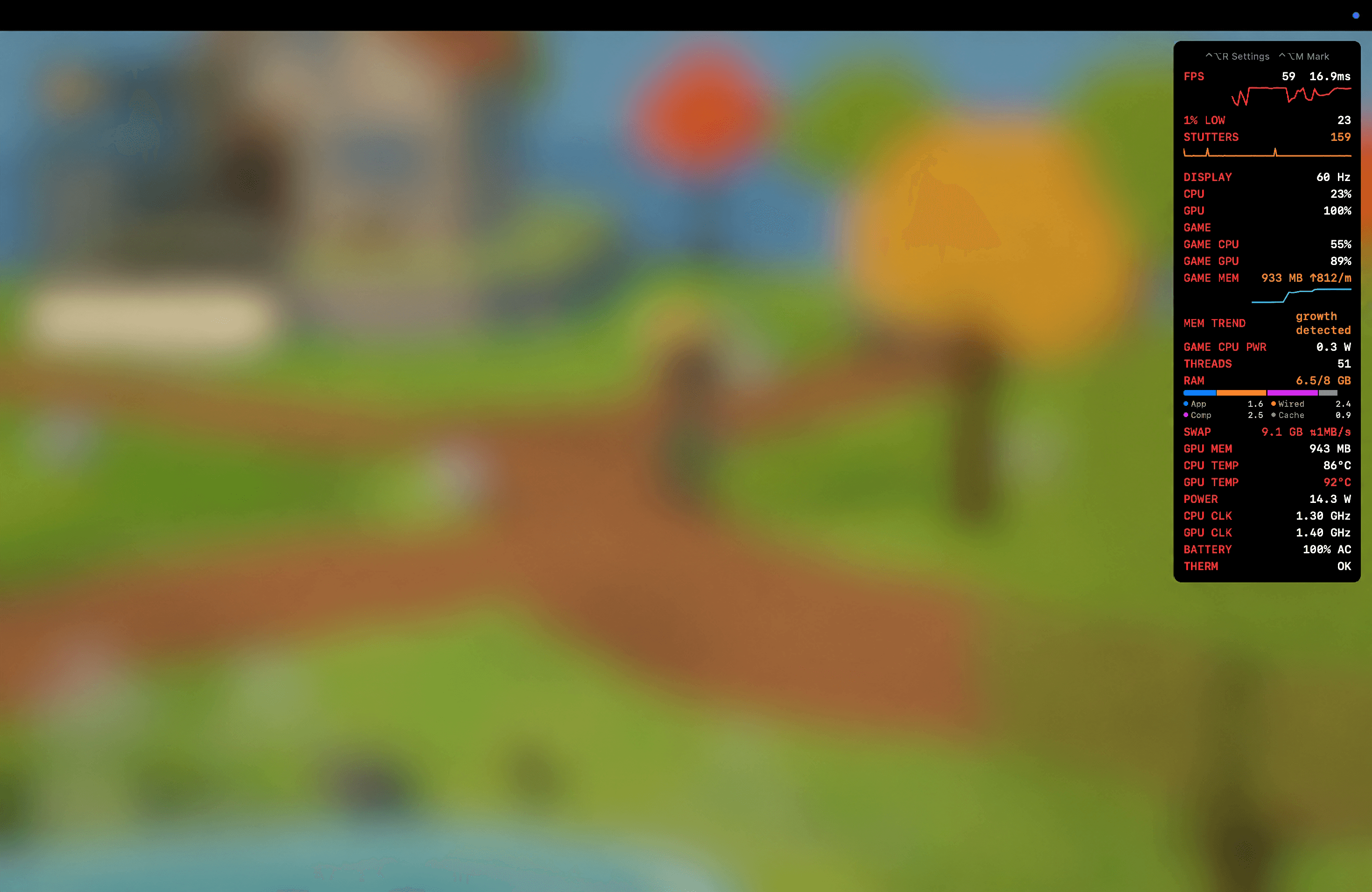
Watch FPS over a 60-second graph, check your 1% low, and see CPU, GPU and RAM usage without leaving your game.
CPU and GPU temperatures and thermal state help you understand what’s happening when things slow down.
As much detail as you need
A quick glance at frame rate and system health. Keep your attention on the game.
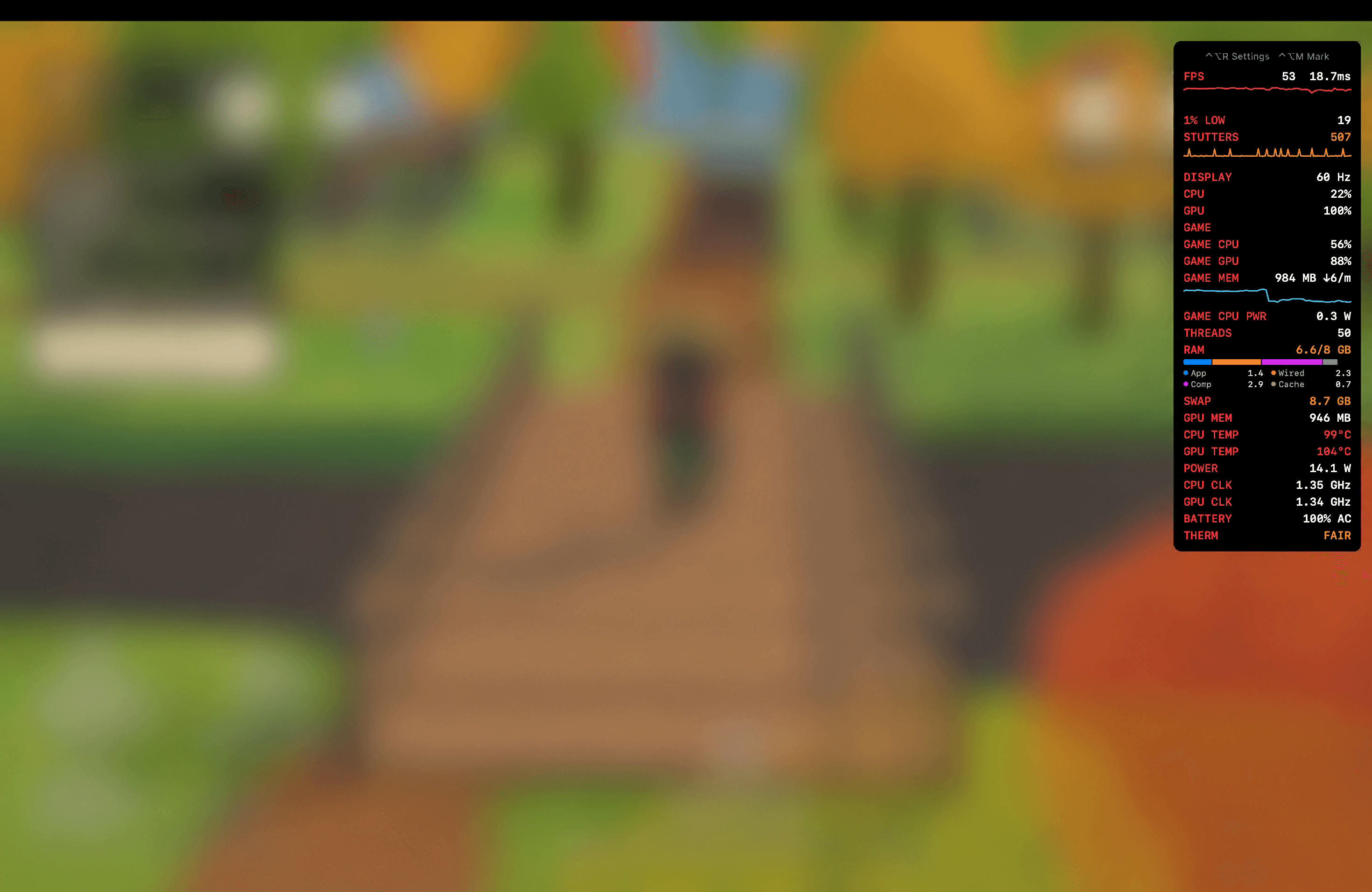
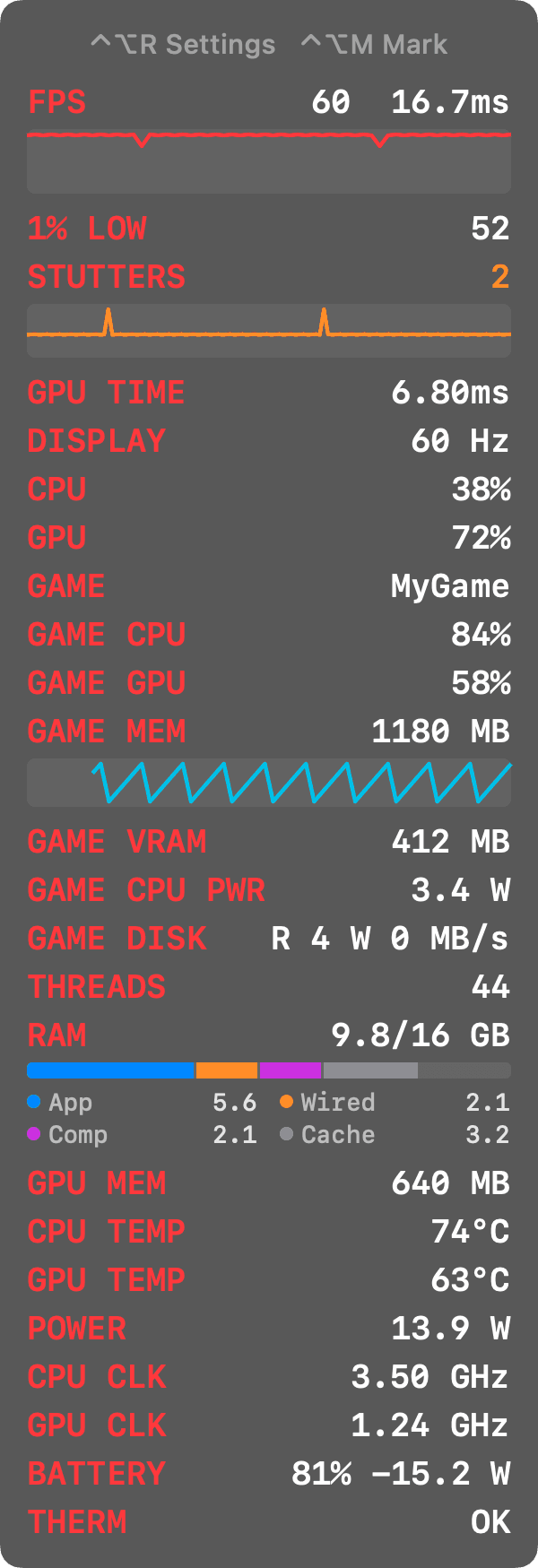
Power, clocks, battery and memory breakdown, alongside your game’s own CPU, GPU and memory usage. Full mode also includes swap readings.
Your Mac. Your data.
No Screen Recording or Accessibility permission needed.
No network requests or data collection. Nothing leaves your Mac.
Developer ID signed and notarized by Apple.
No Dock icon. Works with full-screen Metal games.
Built for testing
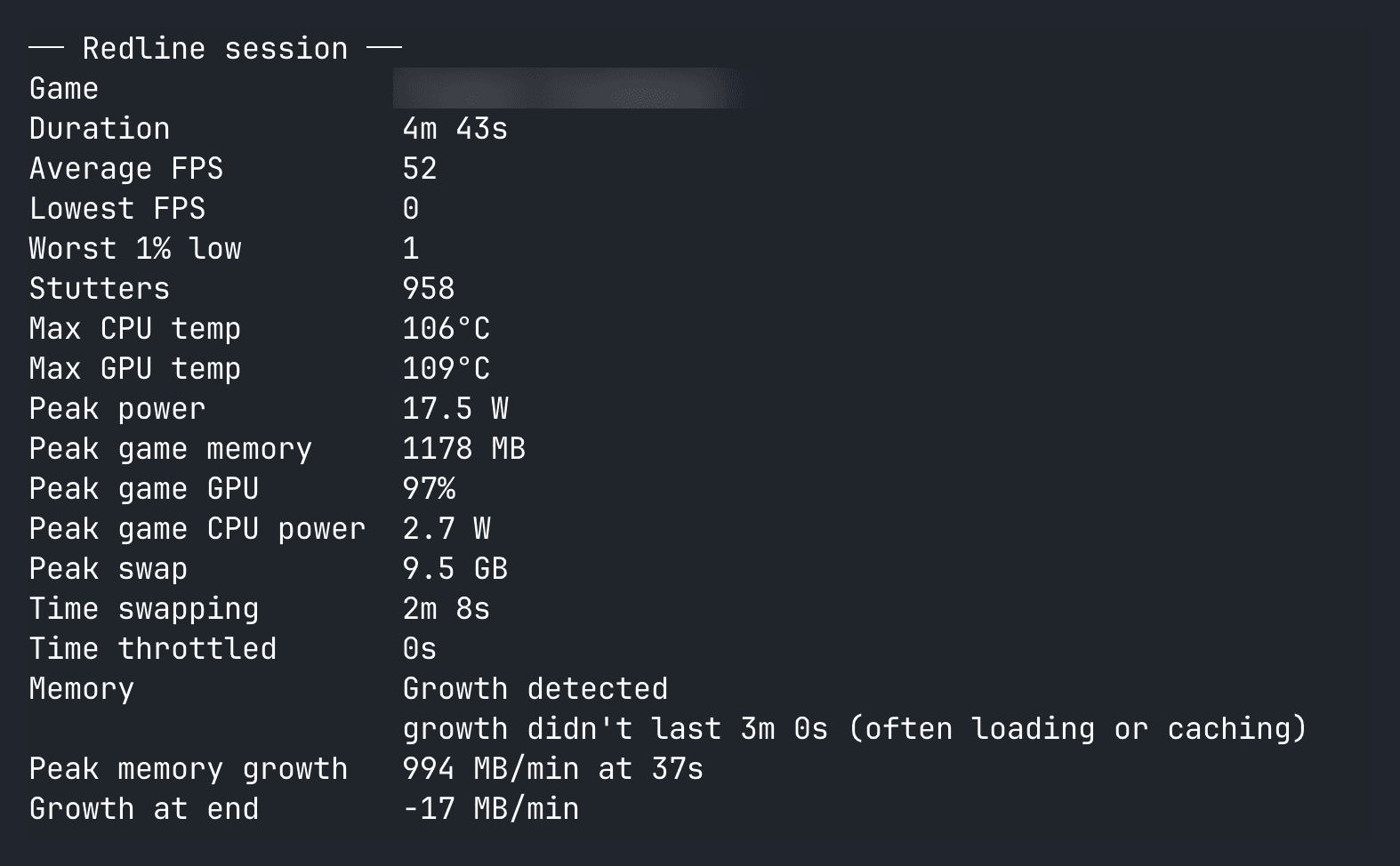
Every game session saves a CSV log and summary. Close the game to review the run, or mark an interesting moment with ⌃⌥M.
The memory growth check warns when a game’s memory keeps climbing. It helps you investigate a trend: it doesn’t diagnose a memory leak.
For game developers
Run your own build with frame-by-frame FPS, no refresh-rate cap in developer mode, 1% lows, stutter counts, frame-time graphs and GPU time per frame.
Using Unity? The Editor package adds Redline → Build and Run with Redline.
redline run ./Builds/MyGame.app > run.csv

redline compare before.csv after.csvApple Silicon: M1 or newer.
macOS 14 Sonoma or newer.
Administrator account required for FPS readings.
Release notes
Public beta
Our first public beta is here. Free and open source, for Apple Silicon Macs.
View release on GitHub ↗Requirements: M1 or newer, macOS 14 Sonoma or newer, and an administrator account for FPS readings.
Yes. Redline is free and open source under the MIT licence.
Redline is signed with a Developer ID and notarized by Apple. You can inspect the source code on GitHub.
Redline supports games that use Metal, including App Store, Steam and iPhone/iPad games running on your Mac.
Windowed games on macOS are capped at your display’s refresh rate. On a 60 Hz display, that means 60 FPS.
macOS only lets administrator accounts read the system log, which is where the FPS reading comes from.